Product photos for ecommerce work best in two layers: a high-quality master file for each photo, linked to the SKU, and the versions each channel asks for, generated from it. The main photo shows the product alone, with no text over it, and each color or model variation has its own images.
The new product photo arrives from the agency as a huge file. Someone crops a square for the store, another person exports a smaller version for the ads catalog, a third makes a vertical version for Pinterest. Three weeks later the packaging changes, the photo is reshot, and nobody remembers how many versions there were or where each one ended up.
The result shows up in the listings: the new product with the old photo on one channel, a stretched image on another, a rejection for size on a third.
Think in terms of a master file and versions
The setup that avoids this back-and-forth has two layers:
- The master file. The highest-quality image of each product photo, stored once and linked to the SKU it belongs to.
- The versions. The crops and sizes each channel uses, generated from the master file.
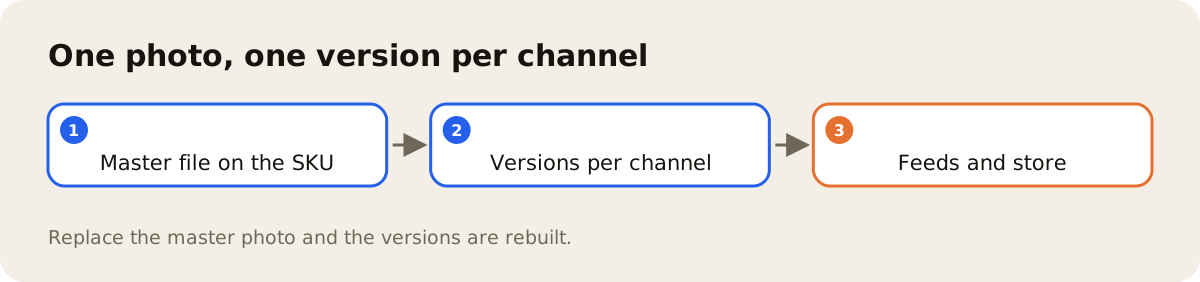
The rule is that nobody edits a version. If the photo changes, the master file changes, and the versions are rebuilt from it. That way the question "which of these is the current one?" never comes up.
What size of photo does each channel ask for?
Channels differ in aspect ratio (square, vertical), minimum size, background, and rules about text, borders or logos placed over the photo. The rules change over time and each channel publishes its own in its help center, so it is worth keeping an internal table with the link to each channel's official rule and reviewing it from time to time, instead of trusting a number someone wrote down years ago.
Two examples of where the rule lives: the Google Merchant Center image rule asks that the main image clearly show the exact item for sale, bans promotional elements over the photo and asks for a unique image for each variant; the Meta catalog reference gives the minimum size and accepted formats for the catalog image.
A few practices hold almost everywhere:
- Neutral background on the main photo. The first image shows the product, with no composites and no text.
- Product filling most of the frame. Too much background makes the product look small in the listing.
- One photo per variation. The stainless steel refrigerator and the white one have their own photos, linked to the SKU of each color.
- A file name that says what it is. Product code and photo order in the name save you from hunting for "IMG_4821_final2.jpg".
What Google reads in the image, along with the other fields, is covered in the post on the Google product feed.
Link the photo to the SKU
The most common cause of a wrong photo in a listing is the link between photo and product; image quality has little to do with it. When the photo lives in a shared folder and the product record lives in another system, someone has to remember which file goes with which variation. When the photo is an attribute of the SKU itself, that question goes away.
Linking the image to the product also lets you require the photo as part of the record: a product without an image shows up as incomplete before anyone tries to publish it. VTEX enforces that requirement in the store itself: the VTEX SKU guide asks for at least one image associated with the SKU (more in the post on product setup in VTEX). Why data and photos work better in the same place is the subject of PIM and DAM together.
Photos in the AdCore Turbo DAM
In the AdCore Turbo DAM, the photo is an attribute of the SKU, and product completeness requires the image. From the main image, the system generates versions sized for five channels (Google, Meta, TikTok, Pinterest and Criteo), and replacing the main image rebuilds those versions. Each replacement is recorded in an audit trail, and PDF manuals stay on the SKU itself, searchable by their text.
Day to day, this means no more cropping the same photo several times and no more searching folders for the right version. To see how this works with your catalog, get in touch.