A Google product feed is the submission that takes your catalog to Merchant Center, with each item described by fields such as title, description, link, image, price and availability. Google validates that data and decides where and how the product appears. In a large catalog, most rejections start in the source product record.
In practice, the feed is a list with one row per item, and each column is a field that Merchant Center checks.
A small catalog can get by with the store platform's plugin. In a catalog with thousands of SKUs, variations and several brands, the feed becomes a job of its own, and most of the problems start in the product data, not in Google.
Which fields of the product feed matter most?
Google publishes the full product data specification in the Merchant Center Help Center, and it changes from time to time. In practice, a few fields account for most rejections and most of the performance:
- Title. It is what the shopper reads first and what Google uses to work out which searches the item matches. Product type, brand and the attribute that sets the item apart (capacity, color, size) tend to count for more than adjectives.
- Description. It complements the title with real information about the product. Promotional text and text copied from another item do not help.
- Identifiers. GTIN, brand and manufacturer code tell Google which product this is. A variation without its own code is a frequent cause of issues.
- Image. The first photo shows the product alone, with no text or overlay.
- Price and availability. They need to match what the product page shows. A mismatch between the feed and the page is a common reason for rejection.
- Category. It helps Google classify the item; Google also infers the category when it is not provided.
On identifiers, the GTIN attribute rule says that each variant, by color or size, has its own GTIN. The tricky cases are covered in the post on GTIN and EAN in ecommerce, and the image rules are in the one on product photos by channel.
Where a large catalog's feed breaks
The problems are rarely about the file format. They show up when the source data is irregular:
- Variations treated as a single product. Color and size need to become items with their own identifier, grouped under the parent product.
- Titles with no standard. Each person on the team wrote them differently, and the feed inherits the mess.
- A price that changes in the store but not in the feed. A promotion goes live in the store while the feed still carries the old value.
- One variation's image on another. The wrong color's photo ends up on the item because someone linked it by hand.
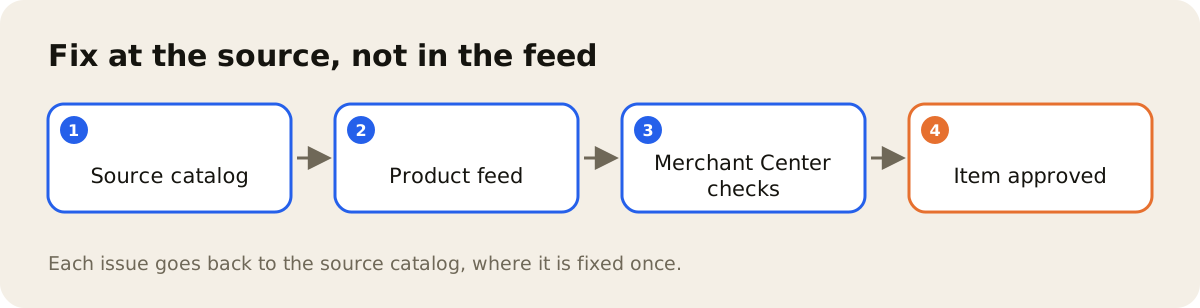
Each of these is a product data problem. Fixed at the source, it disappears from the feed and from every other channel that reads the same product record.
File, spreadsheet or API
Merchant Center accepts the catalog in more than one way: a scheduled file, a spreadsheet and submission through the API. For catalogs that change often, the API usually gives you the most control, because each update goes out item by item and Google's response stays tied to the product. The Merchant API overview describes the API as a way to automate product management, alongside files and other submission methods.
AdCore Turbo in the feed path
AdCore Turbo publishes to Google through the Merchant API and sends the same product record to the other channels. Before publishing, Feed Health points out, at the SKU level, the required field that is missing for the channel, such as title, description, link, image or price, and gives a score from 0 to 100 per feed; the fix happens in the product record, by your team. When the product has the Google-sized version of the photo generated by the DAM, that is the version that goes into the feed.
How feeds work in detail is on the feed management page. The number worth tracking is how many items are stuck with issues in Merchant Center, week over week. When the problem has already turned into a rejection, the post on disapproved products in Merchant Center shows how to attack it by cause.