The VTEX and Mercado Livre integration sends the products in a trade policy and keeps price and inventory in sync with the marketplace. What it does not solve is the product data: each category has its own attributes, most products need a barcode, and anything missing from the catalog blocks the listing or weakens it.
Readers usually arrive with one of three problems: a SKU that won't publish, a listing paused with the status To review (Para revisar), or a product ranking poorly in Mercado Livre search. Many of the causes VTEX and Mercado Livre document sit in the catalog. This post follows the order of the work: turn it on, fill in the attributes, sort out the barcode and photos, then check.
How do you turn on the VTEX integration with Mercado Livre?
You need a seller account on Mercado Livre (in Portuguese) first. You turn the connector on in the Admin, in the Marketplace module, under Integrations (Integrações), choosing Mercado Livre Classic or Premium (in Portuguese). The products sent are the ones in the trade policy chosen during setup, and each VTEX account is tied to a single Mercado Livre account. Then the VTEX account must be authorized on Mercado Livre, a step only the account owner can take, signing in with the owner login of the Mercado Livre account. VTEX also requires an SLA configured in the store; without one, Mercado Livre orders are not imported.
According to the page that explains how the integration works (in Portuguese), data flows in two directions:
- From VTEX to Mercado Livre: product, price and inventory. Price and inventory changes made in VTEX are updated automatically in the listings; custom promotions are not passed along.
- From Mercado Livre to VTEX: orders, integrated only when they arrive with the status Paid.
The integration FAQ (in Portuguese) lists three exceptions that change the order of the work. Images are sent only once, when the listing is created. Once a product has been listed and sold, Mercado Livre's rules do not allow its product information to be resent. Changing it means deleting the listing, which erases its history and the relevance it had built up. The restriction applies to that data: price and inventory still update automatically, as described above. And a product created directly in the Mercado Livre panel is not updated by VTEX.
If you already sell on Mercado Livre, you also need to migrate your existing listings (in Portuguese) so you don't lose the relevance they have already built up. The integration associates a VTEX SKU with a single listing at a time, but Classic and Premium are separate configurations, and the same product can be listed under both types. That is why the migration spreadsheet lists Classic and Premium listings separately, and a listing left out of it is not updated by the integration, and its orders are not imported. When you migrate, enter 0 as the trade policy ID in the connector setup: if you enter the ID of an existing trade policy, the integration creates new listings and duplicates the catalog on Mercado Livre. If your problem is managing orders and inventory across several marketplaces, the post on integration hub, PIM or feed manager explains what each tool does.
What product attributes does Mercado Livre require?
Mercado Livre calls these attributes the technical sheet (ficha técnica), and the Seller Center now calls them product characteristics: the set of attributes it asks for in each category, such as brand and model. In the integration, they go out through the category and attribute mapping (in Portuguese), opened in the Admin from the Mercado Livre integration, under Perform mapping (Realizar mapeamento). There, each store category is matched to a marketplace category, the required attributes are marked with an asterisk, and the product must have inventory and price configured before it is sent.
A missing attribute can have different consequences. The Mercado Livre attributes documentation and the Seller Center (in Portuguese) distinguish three cases:
- An attribute marked as required in the category and missing: publication comes back with an error.
- An attribute the category uses but does not require to publish: it does not block publication and affects the listing's position in search results.
- A listing with sparse or incorrect data: it can be paused and left with the status To review.
VTEX itself says in its FAQ that it cannot tell you which attributes each category requires, because that is an internal Mercado Livre criterion. The authoritative list is the category's own, shown in the mapping. The store's job is to have the data: if the attribute does not exist in the catalog, there is nothing to map. The post on the product attributes dictionary shows how to organize attributes by family.
How do variations and the barcode work on Mercado Livre?
Except for clothing, shoes and bags, the integration creates one listing per SKU, according to VTEX's FAQ. A product sold in two versions, for example, becomes two listings, and each one needs its own required attributes. For fashion, colors and sizes are set in the mapping, and VTEX also asks for the product's size chart (in Portuguese).
The universal product code, the GTIN (called EAN in the VTEX catalog), is covered by three rules:
- On Mercado Livre: the Seller Center (in Portuguese) says it is mandatory for most products, that a listing with the field empty can be paused, and that an incorrect code must be corrected to avoid deletion and a drop in the listing's exposure and quality. Each variation carries its own code.
- Without a barcode: in a listing created through the Seller Center, a handmade product or one without a registered code has the option My product doesn't have one (Meu produto não o tem), with the reason. VTEX's documentation does not say how the integration sends that reason, and a GTIN that the category requires stays mandatory.
- In VTEX: in the inventory integration error table (in Portuguese), a GTIN that is missing, incorrect or invalid in the SKU record appears as a cause of error, and the correct code should come from the supplier or the manufacturer.
The trickier cases, such as a variation with the parent's code, a kit assembled by the store and a product without a code, are covered in the post on GTIN and EAN in ecommerce.
What photos does Mercado Livre accept?
The Mercado Livre pictures page asks for JPG, JPEG or PNG files up to 10 MB, requires at least 500 x 500 pixels and recommends 1200 x 1200 pixels; a photo below the minimum is rejected when it is sent. The maximum number of photos depends on the category.
The Seller Center (in Portuguese) adds the content guidelines:
- A white background is still mandatory in categories such as Technology, Beauty, Health and Supermarket; in most of the others it is no longer required.
- Product centered and filling 95% of the image.
- Nothing overlaid on the photo: logo, signature, QR code, text or border.
- Packaging appears only from the second photo onward.
Since the VTEX integration sends images only once, the right photo has to be on the SKU before the listing is created. The post on product photos by channel covers how to keep one master file and a separate version for each channel.
Stuck SKU or paused listing: what to check
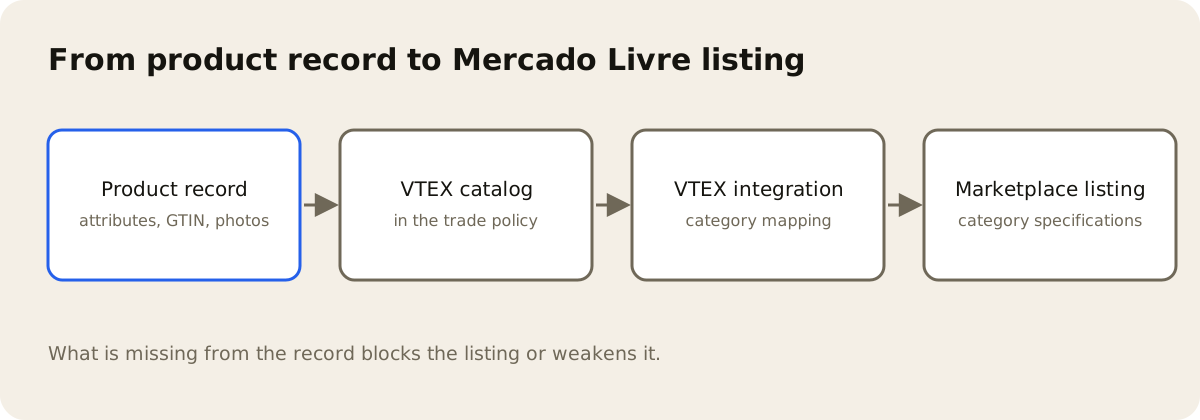
The list starts with what keeps a SKU from publishing, then what affects ranking, all drawn from the official pages cited above:
- Product in the integration's trade policy, active, with inventory and price configured, and with Show on site (Exibir no site) and Show out-of-stock product (Mostrar produto esgotado) checked: VTEX lists both flags among the fields a product needs in order to be integrated, and missing them shows up in its error table as ProductId not found. The same option, which VTEX's product setup page (in Portuguese) now calls Show when out of stock (Mostrar quando estiver fora de estoque), makes the sold-out product appear in your storefront, so check the effect on your site before you turn it on.
- Description filled in: VTEX's FAQ lists a SKU without a description as not integrated.
- Category mapped, with the required attributes (the ones marked with an asterisk) filled in; VTEX's FAQ shows the error for a category that requires brand and model.
- A valid GTIN on every SKU where the category requires the code.
- Package dimensions and weight on every SKU, whatever the Mercado Envios mode: VTEX records that Mercado Livre requires them for Mercado Envios 2 in some categories and may extend the rule to new categories without notice. In a known-issue entry from October 2026, VTEX states that they are now also required for Mercado Envios 1 for sellers who work with both ME1 and ME2; the integration does not send this data for ME1 yet, and the SKU can be rejected even with a complete record.
- A title of up to 60 characters, Mercado Livre's limit.
- Photos ready on the SKU before the listing is created.
- Attributes the category uses in search, besides the required ones.
For a listing that is already paused, the documented causes include: product removed from the trade policy or deactivated, inventory below the limit chosen in the connector setup, sparse or incorrect attribute data, an empty universal code and, according to Mercado Libre's listing guide, photos with logos or promotional text on them. The official pages do not describe a specific step to reactivate it: fix the cause at the source and monitor the listing in the Mercado Livre panel.
Where AdCore Turbo comes in
AdCore Turbo combines PIM and DAM and works before the integration, in the catalog. In the PIM, each family defines its own attributes, and the dashboard shows each product's completeness. AI can propose values for the family attributes the product does not have yet, and someone on the team accepts or rejects each one. On the product record, each SKU shows its barcode, whether it is its own or inherited from the model, and flags a code that fails the check-digit test. In the DAM, a photo linked to a SKU counts toward completeness as the product image.
The post on product setup in VTEX covers what to have ready in the VTEX catalog before you turn the channel on.
AdCore Turbo does not publish listings on Mercado Livre. Sending to the marketplace and mapping categories and attributes remain with VTEX's integration, and that is where you see which attributes each category requires. What AdCore Turbo delivers is the catalog with attributes, barcode and photos in place, so the mapping has data to carry.