Product attributes are the characteristics that describe each catalog item, such as color, material, voltage and capacity, each with a name, a type and allowed values. They feed the spec sheet, the store filters and the fields that Google and marketplaces require. Organized in a dictionary by family, they serve every channel without duplicating records.
Anyone who looks after a catalog knows the routine: the marketplace sends a listing back asking for "frame material," Google complains about a missing color, and the store has a "power" filter that only works on half of the products. Each request looks small. Added up, they become an endless queue, because every channel describes the product in its own words.
What is usually missing is an attribute dictionary: the list of what your catalog knows about each type of product, with name, format and allowed values. With one in place, each channel becomes a translation of the same data, not a new record.
What goes into an attribute dictionary?
For each attribute, it is worth recording:
- Internal name. A unique, unambiguous name, such as "capacity_liters" instead of "size".
- Type. Free text, number, number with unit, list of values, yes or no. The type decides what a filter can do with the data.
- Allowed values. For lists such as color, material and voltage, the accepted values, written one way only.
- Which families it applies to. "Voltage" makes sense for small appliances and not for bed linen.
- Which channels require it. Writing this down saves you from surprise rejections.
Channels publish this requirement: the Meta catalog reference marks each attribute as required or recommended. It sounds like bureaucracy. In practice, it is what lets a new person set up a product correctly on day one without asking anyone.
Family before attribute
The most common mistake is to create a single list with every possible attribute and expect every product to fill all of it in. The form ends up with a hundred fields, most of them do not apply, and people learn to ignore what is empty.
Start with families: groups of products that share the same characteristics (refrigerators, stoves, office chairs). Each family gets only the attributes that make sense for it. The form stays short, an empty field starts to mean something, and you can measure the completeness of each family.
VTEX follows the same logic. In the VTEX catalog documentation, specifications come from a group tied to a category, and all of them must be filled in for the item to become active in the store. The post on product setup in VTEX shows what to prepare before publishing.
One attribute, several channels
Once you have the dictionary, each channel becomes a map. The "color" field in your catalog goes to Google's color field, to the equivalent attribute in the marketplace and to the store filter. If a channel uses a different list of values from yours ("Silver" for it, "Stainless steel" for you), the map does the conversion.
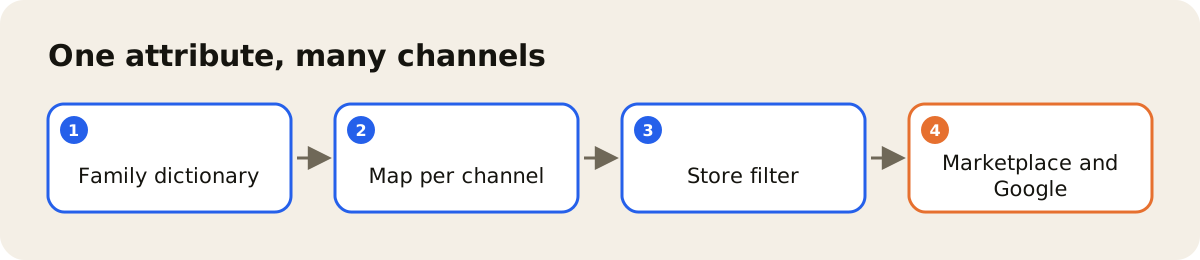
The gain is that a correction happens in one place. If the color was wrong, you fix it in the product record, and each channel gets the right value on its next update. In the Google product data specification, for example, color is required for every available product that comes in different colors; the post on the Google product feed covers the other fields.
How to know where to start
Three questions help you set priorities:
- Which families account for most of your sales?
- On which channels do listings most often come back with a missing-field issue?
- Which store filters do people use the most?
Cross-referencing the answers shows the attributes that pay off the most. There are rarely many of them.
How AdCore Turbo helps with this
In the AdCore Turbo PIM, the catalog is organized by family, and each family defines its own attributes, with no fixed number of fields. The completeness of each product appears on the dashboard, and the AI can propose the attributes that are missing from the family, for someone on your team to accept or reject. Nothing is saved without that acceptance.
On the output side, feed management takes the data to each channel with that channel's price and rules, and Feed Health points out, at the SKU level, the required field that is missing for the channel. What is worth measuring, before and after: how many listings come back for a missing field and how many products show up in the right store filter. To standardize the values before mapping, see also how to standardize product data.